Which of the services did you explore? What made you choose the one you used?
I'll be honest...I didn't create my own screencast because I didn't want to download any of the programs to my home computer, and I can't on the library computer. But I did go through the different tutorials, FAQ's, etc. If I had to choose just one to use, I think I'd go with either Skitch or Jing just because they're fairly easy to use.
How easy was it to use? Intuitive? Too hard??
I think Skitch would be easier to use, but Jing might be more useful for a group kind of project. They're somewhere between intuitive and hard...but nothing that I can't figure out. I'm of the "What happens if I click this" style of doing things, so I'm not afraid to click on something just to see what it does. I'm not sure someone with limited computer skills would be looking to do something like this, but for someone who is comfortable in the digital world, these are excellent tools.
Can you see using this for your library? Personally??
For the library: Oh heck yes! Tutorials on how to use the catalog, fill out a library card application, finding books--the possibilities are endless.
For personal use? Eh, maybe. I can most definitely see how useful these would've been during the group projects for school. There was one that we all were working remotely, and I remember the frustration at not being able to point to my screen and say, "This is what I'm seeing...*this* is what I'm having problems with." Ah, live and learn. Live and learn.
This is definitely a most useful Thing.

Showing posts with label online tools. Show all posts
Showing posts with label online tools. Show all posts
Wednesday, June 17, 2009


Saturday, October 18, 2008
Cool Twitter Toys
This week's finds:
When I first started using Twitter, I was frustrated because I couldn't find anything...or anyone. Today I came across this link (on Delicious, I think):
Just Tweet It. It's a directory divided up by interests. There's even a category for Librarians!
And then, when sorting through my saved favorites on my home computer (which soooo need to be organized), I found this: Twitterlit. It's a site that sends first lines of books out twice a day via RSS feeds, Twitter, & e-mail. Way cool.
OK, end of show and tell... :)
When I first started using Twitter, I was frustrated because I couldn't find anything...or anyone. Today I came across this link (on Delicious, I think):
Just Tweet It. It's a directory divided up by interests. There's even a category for Librarians!
And then, when sorting through my saved favorites on my home computer (which soooo need to be organized), I found this: Twitterlit. It's a site that sends first lines of books out twice a day via RSS feeds, Twitter, & e-mail. Way cool.
OK, end of show and tell... :)
Monday, October 6, 2008
LIS 768: Social Networking
OK, I admit, I'm one of the people that Beth talked about in her post...you know, the ones who aren't sure how social networking is really going to have a place in my life, especially since I have friends IRL. But, the more I dink around with some of the parts, the more I can see how relevant they really are to my life.
I have a friend who lives in Connecticut. We don't talk on the phone very much, but do share pictures of what our families are up to via Kodak EasyShare (could do the same with Flickr, now that I have an account set up). She also sends YouTube videos every so often, which is way cool. It's a quick and easy way to stay in touch, and works for us. E-mail is another way that I communicate with some of my other friends, even though I do see them during the week-I keep really different hours from them, but e-mail is a way to touch base with them. Again, it works for what we need. Other than those, I really can't say that I use many of the other tools...but, the more I learn about them, the more I am embracing some of them. I don't know too many people who use Twitter (I'm still trying to figure out an efficient way to find people on it, myself).
I've known about many of these various social applications for a few years, and one of my hugest regrets is not figuring out how to use them sooner, before my parents both died. Some of these, like Flickr and YouTube, would have been excellent ways for my parents to get to 'know' their granddaughter better. They were in Oregon, and we are here, so obviously it wasn't like I could take the kid for a visit just whenever. I sent pictures whenever I could, but it's not the same. Ironically enough, when I figured out the Yahoo! Games thing, and how a private room could be set up, my mom and the kid would play Go Fish together online...and be able to chat while they played. It was surreal for me to watch, because I remember that when I would go to my own grandparents' houses during the summer, we would play Go Fish and other games while sitting at the same table, in the same room.
I admit to having mixed feelings about social networking. On the one hand, it is a really good way to bridge physical distances. On the other, it's one more thing I feel like I have to 'keep up with'. But, like I've said, I'm at least willing to give them a whirl.
I have a friend who lives in Connecticut. We don't talk on the phone very much, but do share pictures of what our families are up to via Kodak EasyShare (could do the same with Flickr, now that I have an account set up). She also sends YouTube videos every so often, which is way cool. It's a quick and easy way to stay in touch, and works for us. E-mail is another way that I communicate with some of my other friends, even though I do see them during the week-I keep really different hours from them, but e-mail is a way to touch base with them. Again, it works for what we need. Other than those, I really can't say that I use many of the other tools...but, the more I learn about them, the more I am embracing some of them. I don't know too many people who use Twitter (I'm still trying to figure out an efficient way to find people on it, myself).
I've known about many of these various social applications for a few years, and one of my hugest regrets is not figuring out how to use them sooner, before my parents both died. Some of these, like Flickr and YouTube, would have been excellent ways for my parents to get to 'know' their granddaughter better. They were in Oregon, and we are here, so obviously it wasn't like I could take the kid for a visit just whenever. I sent pictures whenever I could, but it's not the same. Ironically enough, when I figured out the Yahoo! Games thing, and how a private room could be set up, my mom and the kid would play Go Fish together online...and be able to chat while they played. It was surreal for me to watch, because I remember that when I would go to my own grandparents' houses during the summer, we would play Go Fish and other games while sitting at the same table, in the same room.
I admit to having mixed feelings about social networking. On the one hand, it is a really good way to bridge physical distances. On the other, it's one more thing I feel like I have to 'keep up with'. But, like I've said, I'm at least willing to give them a whirl.
Sunday, October 5, 2008
LIS 768: Don't Vote (YouTube video)
I was watching Linda's video about Tiger Woods (very very cool) and decided to hop on over to YouTube to see if there were others.
While on the front page, I found this under the featured videos...now, I am registered to vote and plan on doing so on Election Day. But I like how this video is done-what an idea for the library. "Don't go to the Library. Seriously. Don't go." on to "You know you can find almost everything you want at the Library, right? Maybe you should go check it out."
Here's the video:
My momma always told me, "You can't bitch if you don't vote." Well, Lord knows I like to do my share of complaining...so I am definitely voting on Election Day.
Are YOU registered to vote?!?!
While on the front page, I found this under the featured videos...now, I am registered to vote and plan on doing so on Election Day. But I like how this video is done-what an idea for the library. "Don't go to the Library. Seriously. Don't go." on to "You know you can find almost everything you want at the Library, right? Maybe you should go check it out."
Here's the video:
My momma always told me, "You can't bitch if you don't vote." Well, Lord knows I like to do my share of complaining...so I am definitely voting on Election Day.
Are YOU registered to vote?!?!
LIS 768: Looking at YouTube
I could seriously spend hours watching YouTube videos. Well, OK, I have...
When I did the 23 Things on a Stick, YouTube was Thing 18.
For class today, I get to find another one and embed it into a blog post. I love the Michael Jordan "Legendary" commercials, so I'm going to go with one of those.
Good philosophy, I think, and an important one to remember...if you have to tell someone you're all that...you so aren't.
When I did the 23 Things on a Stick, YouTube was Thing 18.
For class today, I get to find another one and embed it into a blog post. I love the Michael Jordan "Legendary" commercials, so I'm going to go with one of those.
Good philosophy, I think, and an important one to remember...if you have to tell someone you're all that...you so aren't.
Saturday, October 4, 2008
LIS 768: Twitter
We learned about Twitter today...and signed up.
My Twitter name is i_am_lisa.
This is awfully odd right now...seriously. But, I'm willing to give it a try...
My Twitter name is i_am_lisa.
This is awfully odd right now...seriously. But, I'm willing to give it a try...
Saturday, September 20, 2008
LIS 768: Library 2.0–Participation & Redesign -the 3 C's
As I was reading through all the articles, and refreshing my brain about the Library 2.0 book, 3 words kept running through my mind: Choices, Conversations, and Control.
Since I've been a library user, library services have evolved from Library 1.0 to Library 1.5 to Library 2.0.
To illustrate: I grew up in a small town (Baker) in Eastern Oregon. It was seriously almost in the middle of NOWHERE-the nearest town was 1 hour away, over a very tricky mountain pass. It was (still is) a predominately Roman Catholic logging mill town in the middle of ranching country. Those who left for college rarely came back. So, for many who lived there, that physical locale was the sum total of their (limited) world. The library was great...but what it had was what it had. There wasn't much choice as to what information could be accessed...and if the library was closed, well, you were out of luck. To me, that's Library 1.0, a one-way street...a one-way conversation: here's what the library has, and these are the formats, and you can take it or leave it.
Then, came Library 1.5(ish). I still remember the first time I heard the magical words, "Well, this library doesn't have it, but we can maybe get it for you via Interlibrary Loan." Seriously? My library isn't bound by these walls anymore? Sweeeet! The catch was, the requests were done by phone or through sending paper forms to another library. So, actually getting what I wanted was sort of hit or miss...usually miss-especially if I needed it for a school assignment. I'd have been happy to go to the other library to get what I wanted, but since I didn't know what library had what (that was still in the days of the behemoth card catalogs), that added a level of difficulty. But,hey-at least there was a world outside my physical location that I could tap into, right?
And so now, we have Library 2.0. My world has expanded exponentially since I became a 'digital immigrant', and I have the option to choose where I want to get my information, how I want it, and when I want it. Remember those 3 words? Choices, conversations, & control? Yep-for me at least, Web/Library 2.0 offers those things-not just to me, but to anyone who wants to use the tools. There are more choices-how does the patron want to get information? From a book, YouTube video, or a Google hit? We don't have to accept just one source as being The Gospel Truth (said in a lofty tone)anymore. We can have conversations with others from all over the place...not just our small corner of the world. And we have control over how much information we get, and don't have to wait for someone else to help. I like being fairly self-sufficient, and I suspect others do as well.
Unfortunately, some libraries, including my own, are still stuck somewhere between Library 1.5 and Library 2.0. Even so, this is not to say that all patrons (or librarians), no matter what their ages, are comfortable with all this "new-fangled electronic stuff". I strongly suspect there will always be the patrons who ask for my help in finding what they need...and I'm more than willing to help-that's what I'm here for. But, the difference now is that it's at least a two-way conversation going on, and there are plenty of options.
Since I've been a library user, library services have evolved from Library 1.0 to Library 1.5 to Library 2.0.
To illustrate: I grew up in a small town (Baker) in Eastern Oregon. It was seriously almost in the middle of NOWHERE-the nearest town was 1 hour away, over a very tricky mountain pass. It was (still is) a predominately Roman Catholic logging mill town in the middle of ranching country. Those who left for college rarely came back. So, for many who lived there, that physical locale was the sum total of their (limited) world. The library was great...but what it had was what it had. There wasn't much choice as to what information could be accessed...and if the library was closed, well, you were out of luck. To me, that's Library 1.0, a one-way street...a one-way conversation: here's what the library has, and these are the formats, and you can take it or leave it.
Then, came Library 1.5(ish). I still remember the first time I heard the magical words, "Well, this library doesn't have it, but we can maybe get it for you via Interlibrary Loan." Seriously? My library isn't bound by these walls anymore? Sweeeet! The catch was, the requests were done by phone or through sending paper forms to another library. So, actually getting what I wanted was sort of hit or miss...usually miss-especially if I needed it for a school assignment. I'd have been happy to go to the other library to get what I wanted, but since I didn't know what library had what (that was still in the days of the behemoth card catalogs), that added a level of difficulty. But,hey-at least there was a world outside my physical location that I could tap into, right?
And so now, we have Library 2.0. My world has expanded exponentially since I became a 'digital immigrant', and I have the option to choose where I want to get my information, how I want it, and when I want it. Remember those 3 words? Choices, conversations, & control? Yep-for me at least, Web/Library 2.0 offers those things-not just to me, but to anyone who wants to use the tools. There are more choices-how does the patron want to get information? From a book, YouTube video, or a Google hit? We don't have to accept just one source as being The Gospel Truth (said in a lofty tone)anymore. We can have conversations with others from all over the place...not just our small corner of the world. And we have control over how much information we get, and don't have to wait for someone else to help. I like being fairly self-sufficient, and I suspect others do as well.
Unfortunately, some libraries, including my own, are still stuck somewhere between Library 1.5 and Library 2.0. Even so, this is not to say that all patrons (or librarians), no matter what their ages, are comfortable with all this "new-fangled electronic stuff". I strongly suspect there will always be the patrons who ask for my help in finding what they need...and I'm more than willing to help-that's what I'm here for. But, the difference now is that it's at least a two-way conversation going on, and there are plenty of options.
Sunday, September 14, 2008
23 Things: Thing #23-Final Thoughts
LOL-I feel like Cinderella, here...trying to get done before that blasted countdown clock hits zero!
Go back to your thoughts/ideas about Library 2.0. Has anything changed as a result of this experience? You know, some of this I already knew about, some of it I'd done, some of it I couldn't have cared less about. But all of it was enriching in some way. I'm definitely more willing to try new Web 2.0 things than I was, and even if I don't plan on using it now, it will be filed away in the back of my mind for a time I could use it.
What were your favorite Things and discoveries? Flickr, LibraryThing, and YouTube, hands down. But, I already knew about them-it was still nice to go back and try some of the cool features. My favorite 'discovery' was the online collaboration tools-seriously, these are going to make group projects soooo much easier!
Were there any take-a-ways or unexpected outcomes from this program that surprised you? Yes, surprisingly, there were. I found I am much more digitally adept than I'd first thought I was...I'm not a digital native, by any means, but neither am I a total technophobe either. Like I said, I'm more willing to spend time with the Web/Library 2.0 applications to see if they're something I can use, instead of dismissing them out of hand.
If we offered a 23 More Things On a Stick program like this in the future would you participate? Yes, I'd be delighted to participate...I'll just have to remember NOT to sign up or try and complete it during a school term!
How would you describe your learning experience in one word or in one sentence, so we could use your words to promote 23 Things On a Stick learning activities to others? One word=Fan-tab-u-lous! Or, Crap-tastic! (depending on how a particular Thing was going...lol). One sentence=I learned something from every Thing I did, love them or hate them.
Thanks for the 23 Things!
Go back to your thoughts/ideas about Library 2.0. Has anything changed as a result of this experience? You know, some of this I already knew about, some of it I'd done, some of it I couldn't have cared less about. But all of it was enriching in some way. I'm definitely more willing to try new Web 2.0 things than I was, and even if I don't plan on using it now, it will be filed away in the back of my mind for a time I could use it.
What were your favorite Things and discoveries? Flickr, LibraryThing, and YouTube, hands down. But, I already knew about them-it was still nice to go back and try some of the cool features. My favorite 'discovery' was the online collaboration tools-seriously, these are going to make group projects soooo much easier!
Were there any take-a-ways or unexpected outcomes from this program that surprised you? Yes, surprisingly, there were. I found I am much more digitally adept than I'd first thought I was...I'm not a digital native, by any means, but neither am I a total technophobe either. Like I said, I'm more willing to spend time with the Web/Library 2.0 applications to see if they're something I can use, instead of dismissing them out of hand.
If we offered a 23 More Things On a Stick program like this in the future would you participate? Yes, I'd be delighted to participate...I'll just have to remember NOT to sign up or try and complete it during a school term!
How would you describe your learning experience in one word or in one sentence, so we could use your words to promote 23 Things On a Stick learning activities to others? One word=Fan-tab-u-lous! Or, Crap-tastic! (depending on how a particular Thing was going...lol). One sentence=I learned something from every Thing I did, love them or hate them.
Thanks for the 23 Things!
23 Things: Thing #22-Staying Current
I have had tons of fun dinking around with these 23 Things this summer. This term in school I'm taking LIS 768 Library 2.0 at St Kate's, taught by Michael Stephens (the dude who writes the Tame the Web blog, among other things). This was our first weekend, and boy, am I glad I'd done the 23 Things! It all made sense to me, and it was much more enjoyable to be able to further refine my knowledge.
As for staying current, no problem. There are some Things that I probably won't ever use, others that I'm not ready to use yet, and some that I have embraced wholeheartedly! I plan on using some of these Things to build a web presence for the Winsted Library. I've learned more about Web/Library 2.0 things so far this year than I ever thought I would...and better yet, I have fun seeing what the different things can do.
As for staying current, no problem. There are some Things that I probably won't ever use, others that I'm not ready to use yet, and some that I have embraced wholeheartedly! I plan on using some of these Things to build a web presence for the Winsted Library. I've learned more about Web/Library 2.0 things so far this year than I ever thought I would...and better yet, I have fun seeing what the different things can do.
23 Things: Thing #9-Online Collaboration Tools
Ok, so I did e-mail for permission to get on the Google Docs & Zoho documents to be edited, but never got a response (which isn't a big deal). So, I did my own on Writeboard. You can find it at my Writeboard site: Declaration of Independence. The password if it's needed is: 23things.
To find out what I did, you have to choose two versions of the document to compare. To do this, just scroll down to the bottom of the page, and look under, appropriately enough...Versions. Choose which ones you want to compare, and click on the 'compare' button. You'll see the changes that I made.
I liked Zoho and Google Docs well enough, but Writeboard is very straightforward, and really easy to use.
To find out what I did, you have to choose two versions of the document to compare. To do this, just scroll down to the bottom of the page, and look under, appropriately enough...Versions. Choose which ones you want to compare, and click on the 'compare' button. You'll see the changes that I made.
I liked Zoho and Google Docs well enough, but Writeboard is very straightforward, and really easy to use.
23 Things: Thing 21-Other Social Networks
Are you a member of any online communities? Yes, I am a member of: FlyLady, iVillage, The Pioneerland Library System Group on Ning , and Flickr, among others.
Are any of these social networks appealing to you? I like Ning-it's easy to use and is sorted by interest. LibraryThing is also a kind of social network...if you squint hard enough-and I love that site. I think just about any Web 2.0 kind of site could be considered a social network--people can add their own content and comment on others' content/comments. The give and take is what appeals to me. I can have a conversation with someone who shares the same interests, but is in a completely different place.
What did you find that was interesting and that you might use later? For my LIS 768 class, the project group I'm in is going to use one of these to put together a site for the Winsted Library; a social networking site is going to play a big part. In many respects, it's almost easier than a conventional website (although I know how to hand-code one...thanks to Shane Nackerud, LIS 753 professor extraordinaire!) and it has the added benefit of enabling users to participate.
There are lots of different options out there...who knows what else I'll find now that I'm looking!
Are any of these social networks appealing to you? I like Ning-it's easy to use and is sorted by interest. LibraryThing is also a kind of social network...if you squint hard enough-and I love that site. I think just about any Web 2.0 kind of site could be considered a social network--people can add their own content and comment on others' content/comments. The give and take is what appeals to me. I can have a conversation with someone who shares the same interests, but is in a completely different place.
What did you find that was interesting and that you might use later? For my LIS 768 class, the project group I'm in is going to use one of these to put together a site for the Winsted Library; a social networking site is going to play a big part. In many respects, it's almost easier than a conventional website (although I know how to hand-code one...thanks to Shane Nackerud, LIS 753 professor extraordinaire!) and it has the added benefit of enabling users to participate.
There are lots of different options out there...who knows what else I'll find now that I'm looking!
LIS 768: Fun with Flickr-Librarian Trading Card
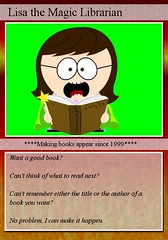
I did this at South Park Character creating site, then uploaded it to Flickr.
I replaced my other avatar picture with this new one-it's way more me.
23 Things: Thing #19 Podcasts
How cool are these? I love the way they can bring in a whole other audience than the one that was the original listeners to the show/program/whatever. And, just thinking about how they can be used in the library...storytimes, programming, what's new at the library--there are so many possibilities! My favorite part is that I can listen to them when I want to listen to them, and not miss them because I couldn't be listening at the time they were on.
I listened to the Dave Ramsey show on podcast. My favorites are Fridays, when people call in to yell, "FREEEEEEEEEEE-DOOOOOOOOMMMMMM!" after paying off their debt. I didn't listen to any library ones, but I did go through the sites just to see what was out there.
Creating a podcast is definitely on the project list for the library. This is a neat Thing!
I listened to the Dave Ramsey show on podcast. My favorites are Fridays, when people call in to yell, "FREEEEEEEEEEE-DOOOOOOOOMMMMMM!" after paying off their debt. I didn't listen to any library ones, but I did go through the sites just to see what was out there.
Creating a podcast is definitely on the project list for the library. This is a neat Thing!
Friday, September 12, 2008
23 Things: Thing 18-Video
I love YouTube, I really do. There's always something to watch...music videos, old cheesy commercials, how-to videos, tv shows...just to name a few.
Here's my library-themed YouTube video. I don't work at the Eden Prairie library, but I love this video. It's a fun way to let patrons know what is offered, and it's pretty good humor.
And one of my favorites...words to live by.
I also checked out Jumpcut. Some of the videos for FlyLady are on there, so I watched some of them. I'd actually forgotten about them until this 'thing'.
I've used YouTube most often, but I did know of some of the other video sharing sites. I think each has both good and bad points, and it comes down to a personal preference. Putting together videos for the library can help patrons learn about the library and what it has to offer in a non-formal way. St Kate's (where I go to school) made some for the library, and they are great! Libraries could use this tool to make videos showing how to use the online catalog, how to apply for a library card, making virtual tours of the library, online storytimes, upcoming events at the library...and those are just off the top of my head.
Here's my library-themed YouTube video. I don't work at the Eden Prairie library, but I love this video. It's a fun way to let patrons know what is offered, and it's pretty good humor.
And one of my favorites...words to live by.
I also checked out Jumpcut. Some of the videos for FlyLady are on there, so I watched some of them. I'd actually forgotten about them until this 'thing'.
I've used YouTube most often, but I did know of some of the other video sharing sites. I think each has both good and bad points, and it comes down to a personal preference. Putting together videos for the library can help patrons learn about the library and what it has to offer in a non-formal way. St Kate's (where I go to school) made some for the library, and they are great! Libraries could use this tool to make videos showing how to use the online catalog, how to apply for a library card, making virtual tours of the library, online storytimes, upcoming events at the library...and those are just off the top of my head.
Thursday, September 11, 2008
23 Things: Thing 17 ELM Productivity Tools
First of all, I have to admit to having a major "Well, DUH!" moment when I clicked on this 'thing'. I know we have access to ELM, really. At least somewhere in the back of my mind I do...I just had forgotten about how much information ELM actually has! For the last few years, I've used the databases of the schools I've gone to when doing research. But, not everyone has access to those same databases, but they do have access to ELM. I've also used all of the different parts of this "Thing" at one time or another for my own research, so I already know how to use them. I can tell you this will be my newest del.icio.us link!
What I like about ELM is the ease of use, and how things are sorted into categories. Need biographical information? No problem. Need information on the Arts? Again, no problem.
How can these tools be applied to your everyday work?
For my everyday work, I can set up folders to pull in news articles and other information about whatever our current needs are. They could also be used to create pathfinders for our research needs.
How can these tools facilitate collaboration with your colleagues? Even just thinking about some of the group projects I've had to do over the last few years...wow, would this have come in handy more than once. Especially on the projects which involve doing lots of research supported by various articles and sources. The same could be done in a work setting. If a project is being done, and different people are responsible for bringing different parts to the table, so to speak, all of the items could be brought together in a central space.
How can these tools benefit your patrons/students? I think that many of our patrons think about using Google as a first stop on the information highway. But, sometimes Google gives too much information, which the patron then has to sort through.
One of the things I think could be done with these tools is to start to create some pathfinders for the school assignments that we know we'll be asked to find information for. Sometimes when a patron is doing an assignment for a class, there are particular source criteria that needs to be met--ELM can help with that, plus add some multimedia sources as well.
There are other reference sources that I use as well, and probably will continue to do so. But for the everyday patron, ELM is something that they themselves can access from home too.
What I like about ELM is the ease of use, and how things are sorted into categories. Need biographical information? No problem. Need information on the Arts? Again, no problem.
How can these tools be applied to your everyday work?
For my everyday work, I can set up folders to pull in news articles and other information about whatever our current needs are. They could also be used to create pathfinders for our research needs.
How can these tools facilitate collaboration with your colleagues? Even just thinking about some of the group projects I've had to do over the last few years...wow, would this have come in handy more than once. Especially on the projects which involve doing lots of research supported by various articles and sources. The same could be done in a work setting. If a project is being done, and different people are responsible for bringing different parts to the table, so to speak, all of the items could be brought together in a central space.
How can these tools benefit your patrons/students? I think that many of our patrons think about using Google as a first stop on the information highway. But, sometimes Google gives too much information, which the patron then has to sort through.
One of the things I think could be done with these tools is to start to create some pathfinders for the school assignments that we know we'll be asked to find information for. Sometimes when a patron is doing an assignment for a class, there are particular source criteria that needs to be met--ELM can help with that, plus add some multimedia sources as well.
There are other reference sources that I use as well, and probably will continue to do so. But for the everyday patron, ELM is something that they themselves can access from home too.
23 Things: Thing 16 Student 2.0 Tools
I have been a college student for the last 5 years (this is my 6th, and last). I have used these assignment calculators on occasion...but I can tell you first hand that although they do a wonderful job breaking the assignment down into manageable pieces, sometimes it almost feels like just one more thing to have to deal with. Many students (not all), including myself on occasion, wait until the assignment reaches critical mass before starting. For that problem, there's no assignment calculator in the world that can help! For those who are a tad more organized, these are great tools-it definitely helps break the assignment into smaller parts when it looks so overwhelming when first assigned.
How might the RPC and the Teacher Guide help you help students plan and manage research projects? Like I said, from a student's point of view, hearing, "Write a research paper on this topic" sounds waaaay more overwhelming than "Come up with a topic by Tuesday, and formulate a working thesis by Friday." The assignment calculators also break down the project into steps, which can be helpful to also use as a checklist: "Did I remember to pull information from the different types of sources? Did I cite them correctly? What is next?"
Can you think of any uses for library projects—could you use it to help manage a timeline for a project of your own? These assignment calculators can be used for any kind of long-term project, academic in nature or not. There are other online tools that do basically the same thing that I might look at using for library projects before I used these calculators, but I can see where these might be useful as well.
For the right person, these are excellent tools, and definitely have their place.
How might the RPC and the Teacher Guide help you help students plan and manage research projects? Like I said, from a student's point of view, hearing, "Write a research paper on this topic" sounds waaaay more overwhelming than "Come up with a topic by Tuesday, and formulate a working thesis by Friday." The assignment calculators also break down the project into steps, which can be helpful to also use as a checklist: "Did I remember to pull information from the different types of sources? Did I cite them correctly? What is next?"
Can you think of any uses for library projects—could you use it to help manage a timeline for a project of your own? These assignment calculators can be used for any kind of long-term project, academic in nature or not. There are other online tools that do basically the same thing that I might look at using for library projects before I used these calculators, but I can see where these might be useful as well.
For the right person, these are excellent tools, and definitely have their place.
23 Things: Thing 13 Online Productivity Tools
Which start page did you choose? Why did that one appeal to you? Will you make it your permanent home page? I used iGoogle, mainly because my RSS reader is on Google too. I liked how it all came together, and although I know I can change my theme (there were well over 100 pages to search through), I probably won't...although I think it's kind of neat how even a start page could be completely customized like that. No, I don't think I'll make it my permanent home page...I tend to change my home pages to reflect what I'm currently interested in, or working on. Even having the choice of what I want on my start page is great, though.
Did you find a tool that has some uses for you at the library or at home? Which tool(s) would you recommend to others? You know, the more I thought about it, any of these tools could be used on the library staff computers. At first I was trying to think how they could be useful for library patrons. But, even as I was thinking about how we periodically revamp our Project List, I was thinking that these kinds of tools could be useful in that setting. Once our new project list is compiled, we can test it out using one of these tools (I'm leaning more toward the "Ta-Da List" right now...).
How can the online calendars be useful to you?The online calendars can be accessed by anyone who can get to the Internet. Instead of having to print them off repeatedly after scheduling changes have been made...just change the calendar once online & everyone can login to see it. Since I'm still working on my MLIS, having the reminders sent to my e-mail (which I do check) would be kind of handy.
What about the to-do lists—helpful, too much work…? Hmm. I do make to-do lists for myself, yes, but I do them on paper. I think trying to remember to go online and mark what I've done off the list would probably not go well. However...in a work setting, I think they could be used rather effectively. I know even though in the library we're really good about leaving notes for each other, sometimes they're overlooked, recycled, put somewhere safe...none of which actually helps get the job done. For long term projects, an on-line to-do list could really be an asset.
Did you try out Backpack? What did you think? I've used different aspects of Backpack, but not the entire thing--I don't want to pay for it. There are other web 2.0 programs that can accomplish the same thing for free. I do like the fact that a group can use it for projects, and that everything is right there on the page. I think that Backpack is a great concept...just wish it were free.
I enjoyed learning about the different online productivity tools, but I have to admit that in some respects, using technology for technology's sake only adds to my everyday 'noise' level. In my personal life, paper and pen are just fine. On the other hand, I can (and do) see the value of having these tools, especially when working with a larger group that needs to stay on top of a project. Do I think I will use any of these? Well, I wouldn't rule that possibility out...but it won't be 'just because I can'!
Did you find a tool that has some uses for you at the library or at home? Which tool(s) would you recommend to others? You know, the more I thought about it, any of these tools could be used on the library staff computers. At first I was trying to think how they could be useful for library patrons. But, even as I was thinking about how we periodically revamp our Project List, I was thinking that these kinds of tools could be useful in that setting. Once our new project list is compiled, we can test it out using one of these tools (I'm leaning more toward the "Ta-Da List" right now...).
How can the online calendars be useful to you?The online calendars can be accessed by anyone who can get to the Internet. Instead of having to print them off repeatedly after scheduling changes have been made...just change the calendar once online & everyone can login to see it. Since I'm still working on my MLIS, having the reminders sent to my e-mail (which I do check) would be kind of handy.
What about the to-do lists—helpful, too much work…? Hmm. I do make to-do lists for myself, yes, but I do them on paper. I think trying to remember to go online and mark what I've done off the list would probably not go well. However...in a work setting, I think they could be used rather effectively. I know even though in the library we're really good about leaving notes for each other, sometimes they're overlooked, recycled, put somewhere safe...none of which actually helps get the job done. For long term projects, an on-line to-do list could really be an asset.
Did you try out Backpack? What did you think? I've used different aspects of Backpack, but not the entire thing--I don't want to pay for it. There are other web 2.0 programs that can accomplish the same thing for free. I do like the fact that a group can use it for projects, and that everything is right there on the page. I think that Backpack is a great concept...just wish it were free.
I enjoyed learning about the different online productivity tools, but I have to admit that in some respects, using technology for technology's sake only adds to my everyday 'noise' level. In my personal life, paper and pen are just fine. On the other hand, I can (and do) see the value of having these tools, especially when working with a larger group that needs to stay on top of a project. Do I think I will use any of these? Well, I wouldn't rule that possibility out...but it won't be 'just because I can'!
Subscribe to:
Posts (Atom)